
You write the simplest line of code: message = "She said "hi"". You run it and the program stops with an error. Yet the sentence is right and the quotes are where they belong. What happened?
The language read the first quote as the start of the string and the second as its end. To it, the string was just "She said ", and the hi left outside means nothing. To tell it “this quote is part of the text”, you need a signal: the backslash, \.
In this guide I’ll explain what escape sequences like \n, \t, \" and \u00A9 are, how they work in JavaScript, Python and PHP, and which mistakes to avoid. At the end there’s also a converter that prepares them for you in a second.
What is an escape sequence?
An escape sequence is a backslash followed by one or more characters. Together they tell the language: “don’t read the next character the usual way”. The character escapes its normal meaning, hence the name.
It does two opposite jobs, and it helps to keep both in mind:
- It makes a special character ordinary.
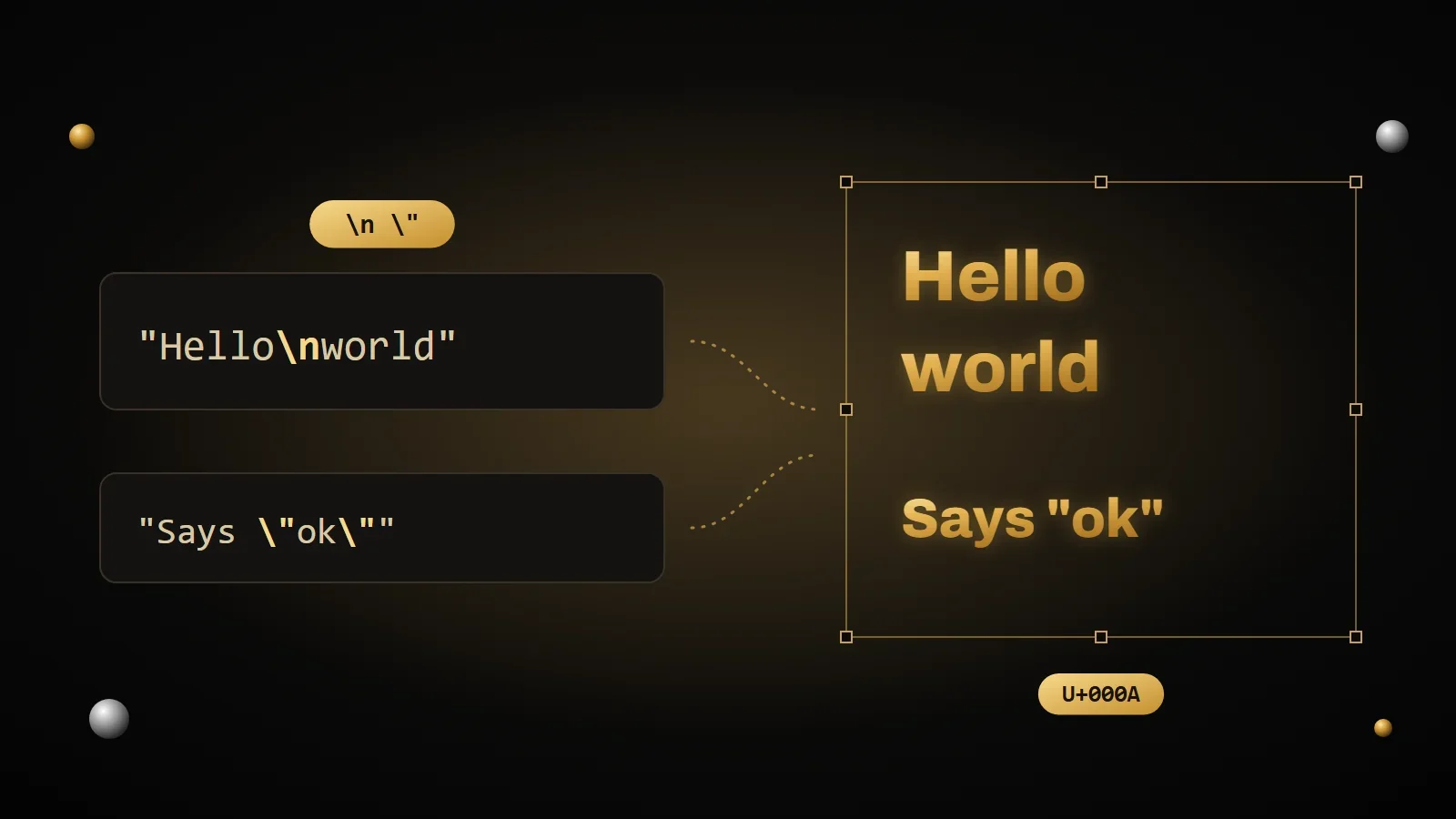
\"is a quote to show, not the end of the string.\\is an actual backslash. - It makes an ordinary letter special.
\nisn’t the letter n, but “new line”.\tis a tab.
The most common escape sequences
These work almost the same in all the most popular languages. If you learn only a handful, learn these.
| Sequence | Meaning | JavaScript | Python | PHP (double quotes) |
|---|---|---|---|---|
\n | New line | Yes | Yes | Yes |
\t | Tab | Yes | Yes | Yes |
\" | Double quote | Yes | Yes | Yes |
\' | Single quote | Yes | Yes | Only between single quotes |
\\ | Backslash | Yes | Yes | Yes |
\r | Carriage return (used by Windows together with \n) | Yes | Yes | Yes |
\u00A9 | Unicode character, here © | Yes | Yes | Written \u{00A9} |
\x41 | Character from a hex code, here A | Yes | Yes | Yes |
Did you notice \u00A9? That 00A9 is the number of the © symbol in the Unicode standard, the same one used by the HTML entity © you saw in the HTML entities cheat sheet. The language changes, the number doesn’t.
Escape sequences in JavaScript
In JavaScript you can write strings between double quotes, single quotes or backticks. The easiest way to avoid escapes is to pick the kind of quote that doesn’t appear in the text.
const sentence = "She said \"hi\"";    // quotes inside quotes
const apostrophe = 'It\'s fine';            // apostrophe inside single quotes
const easy = 'She said "hi"';               // no escape needed
const twoLines = "First line\nSecond line";
const symbol = "\u00A9 2026";              // © 2026
const emoji = "\u{1F600}";                 // 😀, braces needed beyond 4 digits
console.log(symbol, emoji);
Backticks create “template literals”: you can break lines for real, without \n, and use quotes freely. You can also insert values with ${…}.
const name = "Anna";
const message = `Hi ${name},
she said "hi" to you too.`;
const path = String.raw`C:\new\folder`;   // backslashes stay backslashes
console.log(path);
String.raw is the trick for Windows paths and regular expressions: inside it, backslashes aren’t interpreted.
Escape sequences in Python
In Python, double and single quotes behave the same way. The sequences are almost the same as in JavaScript, with a few handy extras.
sentence = "She said \"hi\""
easy = 'She said "hi"'                  # no escape needed
two_lines = "First line\nSecond line"
symbol = "\u00A9 2026"                  # © 2026
by_name = "\N{COPYRIGHT SIGN} 2026"     # © 2026, using the Unicode name
emoji = "\U0001F600"                    # 😀, eight digits with a capital U
print(by_name, emoji)
For text on several lines there are triple quotes, and for paths there are raw strings: put an r in front, and backslashes stay backslashes.
path = r"C:\new\folder"
pattern = r"\d+"       # regular expression: one or more digits
print(path)
Warning
Since Python 3.12, a sequence that doesn’t exist, like "\d" in a normal string, raises a SyntaxWarning, and in the future it will become an error. If you see this warning, the fix is almost always a raw string: r"\d".
Escape sequences in PHP
In PHP the difference between single and double quotes matters. Between single quotes text stays almost exactly as written: only \' and \\ work. Between double quotes PHP interprets escape sequences and variables too.
<?php
$name = 'Anna';
echo 'Hi $name\n';      // prints: Hi $name\n
echo "Hi $name\n";      // prints: Hi Anna and starts a new line
echo "Price: \$5\n";    // prints: Price: $5
echo "\u{00A9} 2026\n";  // prints: © 2026
Note the \$: between double quotes the dollar sign starts a variable, so to write it as text it has to be escaped. And for Unicode characters, the braces are required in PHP: \u{00A9}.
Try the converter
Type some text, with quotes, line breaks and symbols if you like, and choose the language: you get the string ready to paste into your code. It works the other way around too: paste a string full of \n and \u to read its text.
Escape converter
Type some text to get it as a ready-to-use string, or paste a string with escape sequences to read the text inside it.
The most common mistakes
- Windows paths. In
"C:\new\table"the\nbecomes a line break and the\ta tab. Use double backslashes, a raw string or, where possible, forward slashes/. - Backslashes in regular expressions. A rule like
\dwritten in a normal string loses its backslash. Write"\\d", or user"\d"in Python and the/\d/notation in JavaScript. - Double escaping. If your text shows
\"or\ninstead of quotes and line breaks, the string has been escaped twice. It’s the same problem as&in HTML. - Single quotes in PHP.
'\n'doesn’t start a new line: it prints an actual backslash and an n.
Frequently asked questions
What does \n mean?
It’s the “new line” character, also called line feed. Inside a string, everything after \n goes on the next line.
What’s the difference between \n and \r\n?
Linux and macOS end lines with \n. Windows uses two characters, \r\n, a legacy of old typewriters: first go back to the start of the line, then move down. Almost every modern program reads both versions fine.
How do I put quotes inside a string?
Put a backslash before them: \". Or, more simply, wrap the string in the other kind of quote: 'She said "hi"'.
How do I write a backslash?
Double it: "\\" gives you a single backslash. In Python you can also use a raw string, and in JavaScript String.raw.
What is a raw string?
A string where backslashes aren’t interpreted. In Python you write it with an r in front, like r"C:\new". The only limit: it can’t end with a single backslash.
Why does Python say “SyntaxWarning: invalid escape sequence”?
Because the string has a backslash followed by a character that doesn’t form a valid sequence, like \d or \p. It happens a lot with regular expressions and Windows paths: use a raw string or double the backslash.
Sources and further reading
- MDN Web Docs: string literals and escape sequences in JavaScript
- MDN Web Docs: String.raw
- Python documentation: string literals and escape sequences
- PHP manual: strings
- RFC 8259: strings in JSON
Now you can write any character in a string. But did you notice that \u00A9, © and U+00A9 all use the same number? Behind them is Unicode, the system that gives a number to every character in the world. In the next article I explain ASCII, Unicode and UTF-8, and why an “é” sometimes turns into “é”.
Comments
No comments yet. Leave the first one!
Leave a comment